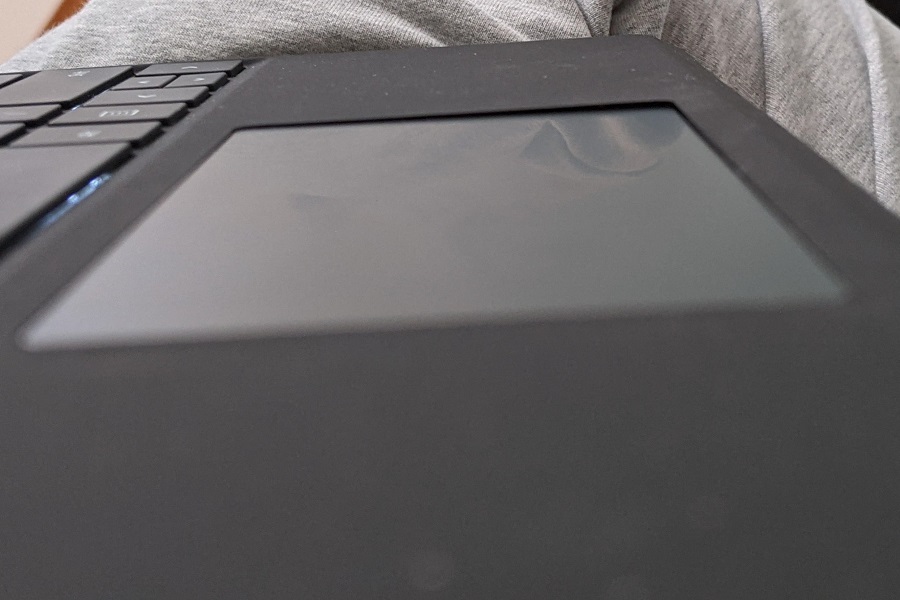
Microsoft Surface Laptop Touchpad Replacement
OnSite Services offers expert touchpad replacement services to restore full functionality and smooth navigation to your device.
Common Touchpad Issues We Fix
-
Touchpad not responding to finger gestures or taps
-
Cursor jumping or moving erratically
-
Physical cracks or dents on the touchpad surface
-
Multi-touch gestures not working
-
Touchpad click not functioning or stuck
Why Choose OnSite Services?
Certified Technicians
Specialized in Microsoft Surface Laptop repairs, including Surface Laptop 3, 4, 5, Studio, and Go series.
Genuine Replacement Parts
We use OEM-grade or original parts to ensure compatibility, durability, and smooth performance.
Quick Turnaround Time
Most touchpad replacements are completed within 1–3 business days.
Transparent Pricing
No hidden costs—get a free diagnostic and upfront quote before the repair begins.
Warranty on Repairs
All touchpad replacements come with a service warranty for your peace of mind.
Our Replacement Process
-
Free Diagnosis
We test your touchpad to determine if replacement is necessary or if a software fix will do. -
Precise Removal
Our technicians carefully remove the damaged touchpad without harming internal components. -
Genuine Part Installation
We install a brand-new, compatible touchpad for seamless performance. -
Full System Testing
We ensure gesture support, responsiveness, and smooth cursor movement before delivery.
Supported Surface Models
-
Surface Laptop 5 / 4 / 3 / 2 / 1
-
Surface Laptop Go & Go 2
-
Surface Laptop Studio
-
Surface Book (keyboard touchpad base)
-
Surface Pro (with detachable keyboard)
When Should You Replace the Touchpad?
-
Cursor stops moving even after driver update
-
Touchpad gestures fail to register
-
Physical touchpad buttons not clicking
-
Touchpad behaves erratically despite reinstalling drivers
-
External mouse is your only working option